Free · Open source · No upload
Get any file to the exact size you need.
Compress, convert and sign PDFs and photos in your browser. Your files are never uploaded.
Popular tools
Popular tools
All tools
Optimize
Organize
Convert to PDF
Convert from PDF
Edit
Security
Smart
Workflows
How it works
Choose a file
Select or drop a PDF or photo into the workspace.
Set your target
Pick an exact size limit or strength goal.
Download
Get your file instantly without leaving your browser.
Questions
Are my files sent to any server?
Is Weesize really completely free?
How does exact-size compression work?
Does it work offline?
Weesize brand
Get any file to the size you need. Privately.
1 Download the SVG or PNG you need from this page.2 Keep clear space of at least a quarter of the mark on every side.3 Stop if a layout asks you to stretch, recolor, or rotate the mark.
About this tool
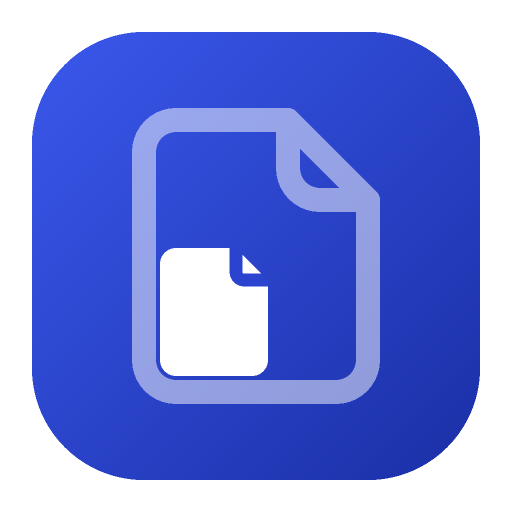
Weesize’s mark is a large faint page with a smaller solid page inside it: a big file becomes a wee file. Use the color mark above 32 pixels and the flat mark at 32 pixels and below. Below 24 pixels, use the simplified favicon. Clear space is at least 25% of the mark’s width on every side. Do not stretch, recolor, rotate, or add a shadow. The wordmark is “weesize” in lowercase IBM Plex Sans SemiBold. The horizontal lockup is at least 96 pixels wide. On the home page and this page, “wee” uses the accent and “size” uses the text color.
Weesize brand stays on this device. The download is the copy you keep, and Weesize does not store a second one. Close the tab when you are finished and the bytes are gone.
- Use these files rather than a screenshot.
- Colors are the ones listed with their hex values.
- Do not place the color mark on a busy photograph.
FAQ
Does “Weesize brand” upload my file?
Weesize brand reads the file in this tab. There is no upload step and no account.
What will “Weesize brand” actually change?
The mark’s shapes are fixed. A stretched page stops reading as a file.
When is “Weesize brand” the wrong job?
Do not invent a fill. Use the mono or reversed file when the background changes.
How do I check the result of “Weesize brand”?
Place the mark at 16, 24, 32, 64, and 512 pixels on white, on near-black, and on the accent blue. The small page should stay visible.
Can I run “Weesize brand” with Wi-Fi off?
Load this page, then turn Wi-Fi off and run Weesize brand again. A finished result is the proof that the file was not sent anywhere.
PressPrivacyCompress PDFPDF guidesSitemapAll PDF tools
Last updated 2026-09-27.
Marks
Clear space and minimum size
Keep at least 25% of the mark’s width empty on every side. The mark is at least 16 pixels. Below 24 pixels, use the favicon. The horizontal lockup is at least 96 pixels wide, with the mark at 1.5× the wordmark cap height and a gap of 0.35× the mark.
The wordmark is “weesize” in lowercase IBM Plex Sans SemiBold, with letter-spacing −0.02em. On the home page and this page, “wee” is the accent and “size” is the text color. Everywhere else the whole word uses the text color: #14181F on light, #E6E9EF on dark.
Maskable icon
The installed icon is a full-bleed accent square. The pages sit inside the central 80%.
Downloads
- Color mark (SVG)
- Flat mark (SVG)
- Mono mark (SVG)
- Reversed mark (SVG)
- Favicon (SVG)
- Favicon (ICO)
- Horizontal lockup (SVG)
- Stacked lockup (SVG)
- Wordmark (SVG)
- Mark at 256 px (PNG)
- Avatar 400 (PNG)
- Banner 1500×500 (PNG)
- App icon 192 (PNG)
- App icon 512 (PNG)
- Maskable icon (PNG)
- Apple touch icon (PNG)











Colors
- Accent
#2340C9 - Accent bright
#3A58EC - Accent deep
#1A2FA6 - Text
#14181F - Text on dark
#E6E9EF - Background
#F5F6F8
Do and don’t
- Do use the color mark above 32 pixels, the flat mark at 32 pixels and below, and the favicon below 24 pixels.
- Do keep the clear space.
- Don’t stretch the mark.
- Don’t recolor the mark.
- Don’t rotate the mark.
- Don’t add a shadow, glow, or other effect.
- Don’t place the color mark on a busy photograph. Use the reversed mark on a flat color or photo.